
MetaMask Wallet on Desktop

8 EASY STEPS
How to set up your MetaMask wallet on your desktop
MetaMaskMetaMask is an application for accessing Ethereum-based decentralized applications (DApps) in the browser. MetaMask allows users to create and manage their identities (via private keys, local client wallets, and hardware wallets such as Trezor™). When a DApp wants to perform a transaction and write it to the blockchain, the user is provided with a secure interface to review the transaction before approving or rejecting it.
Before we begin, you will need Google Chrome, as this is the most user-friendly browser for this purpose. If you haven't installed it yet, you can download it HERE.
If you already have Chrome installed on your computer, go to the official MetaMaskWebsite and click on the blue button"Download now" .
01

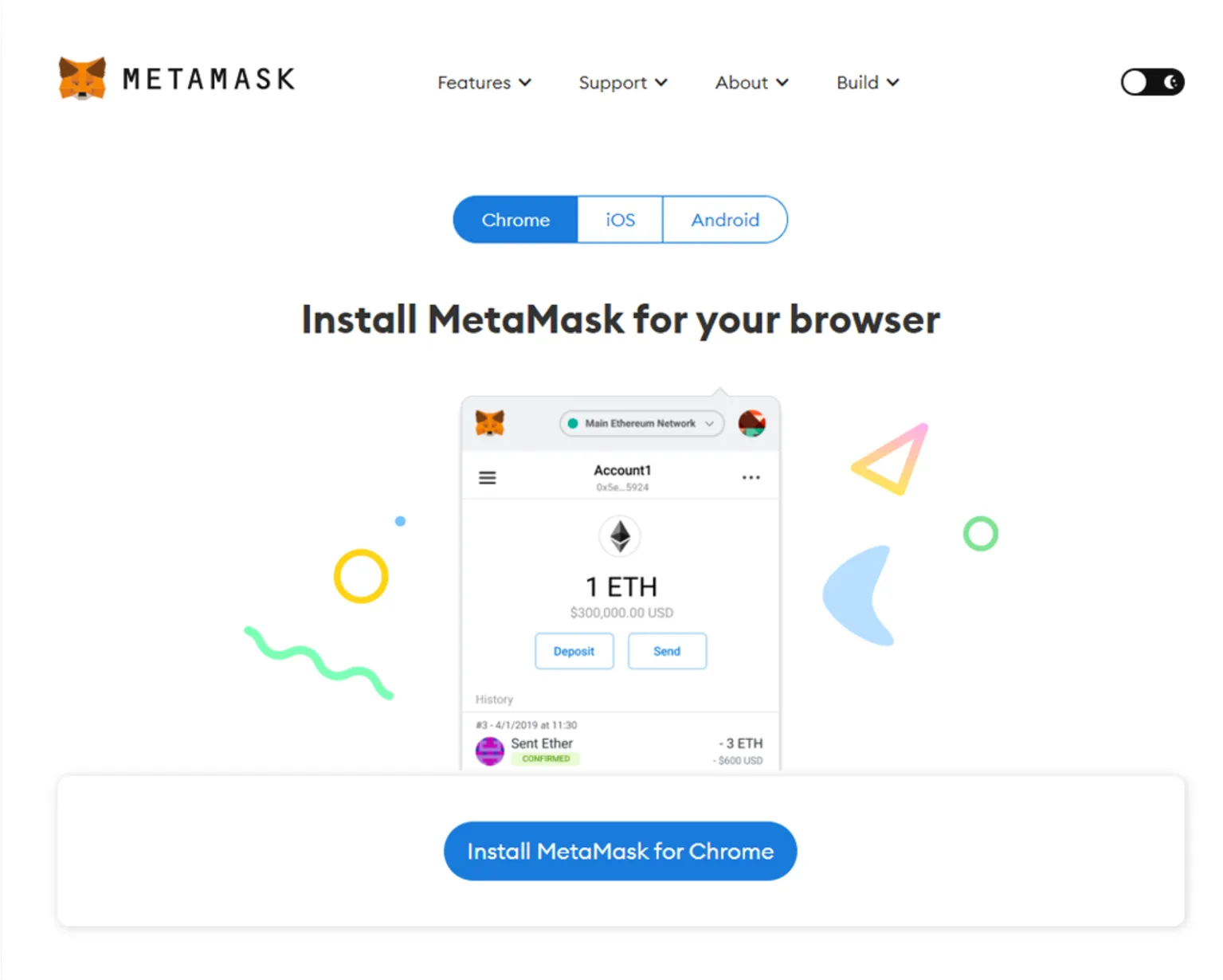
Then click on "Download now" . The image below should then be displayed. Be sure to select the Chrome option for your operating system and then click on "Install MetaMask for Chrome".
02

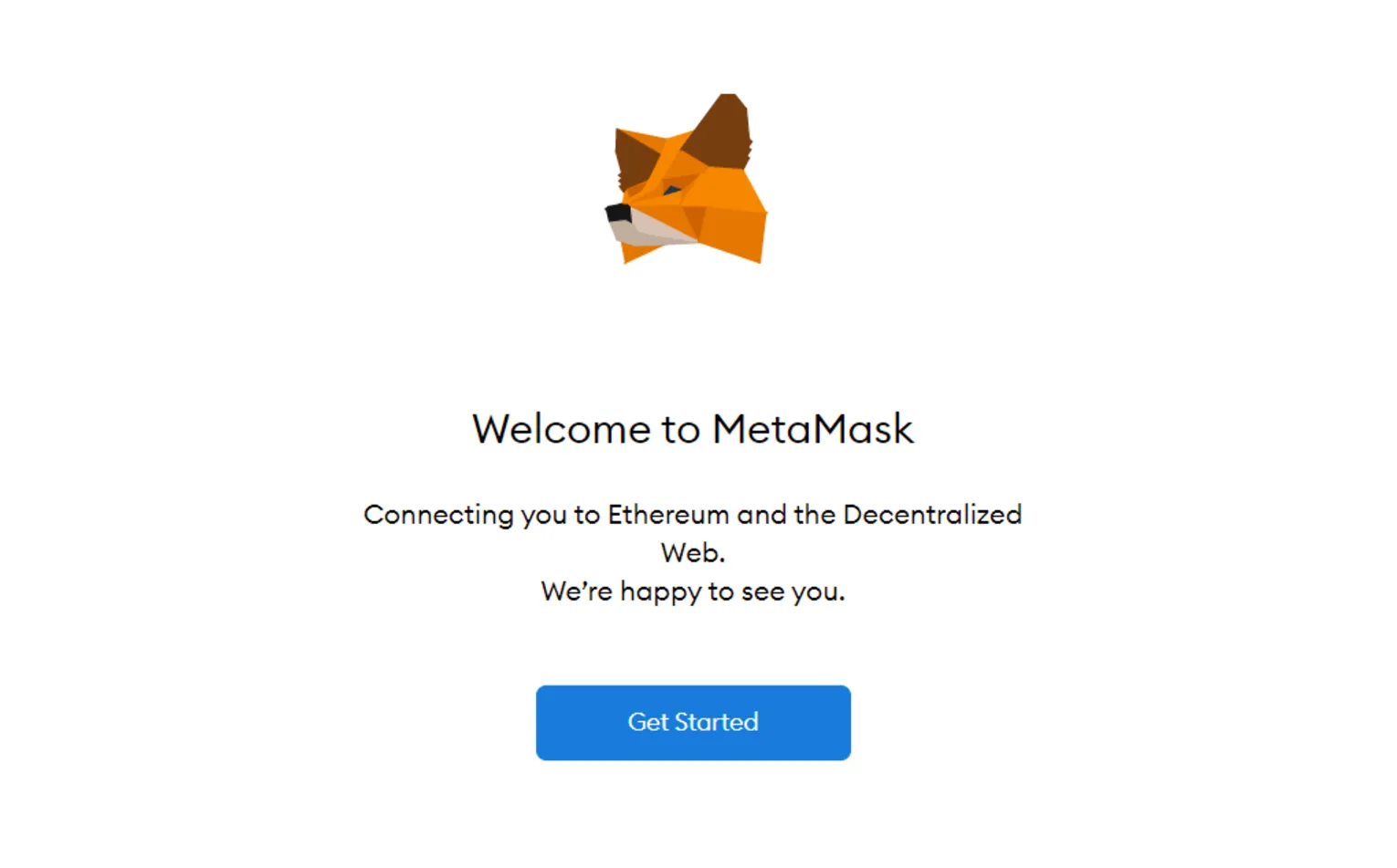
After activating the installation process, you will see a welcome screen with FoxFace.
03

This is the first time you are creating a wallet. Therefore, click on the button "Create wallet“ .
04

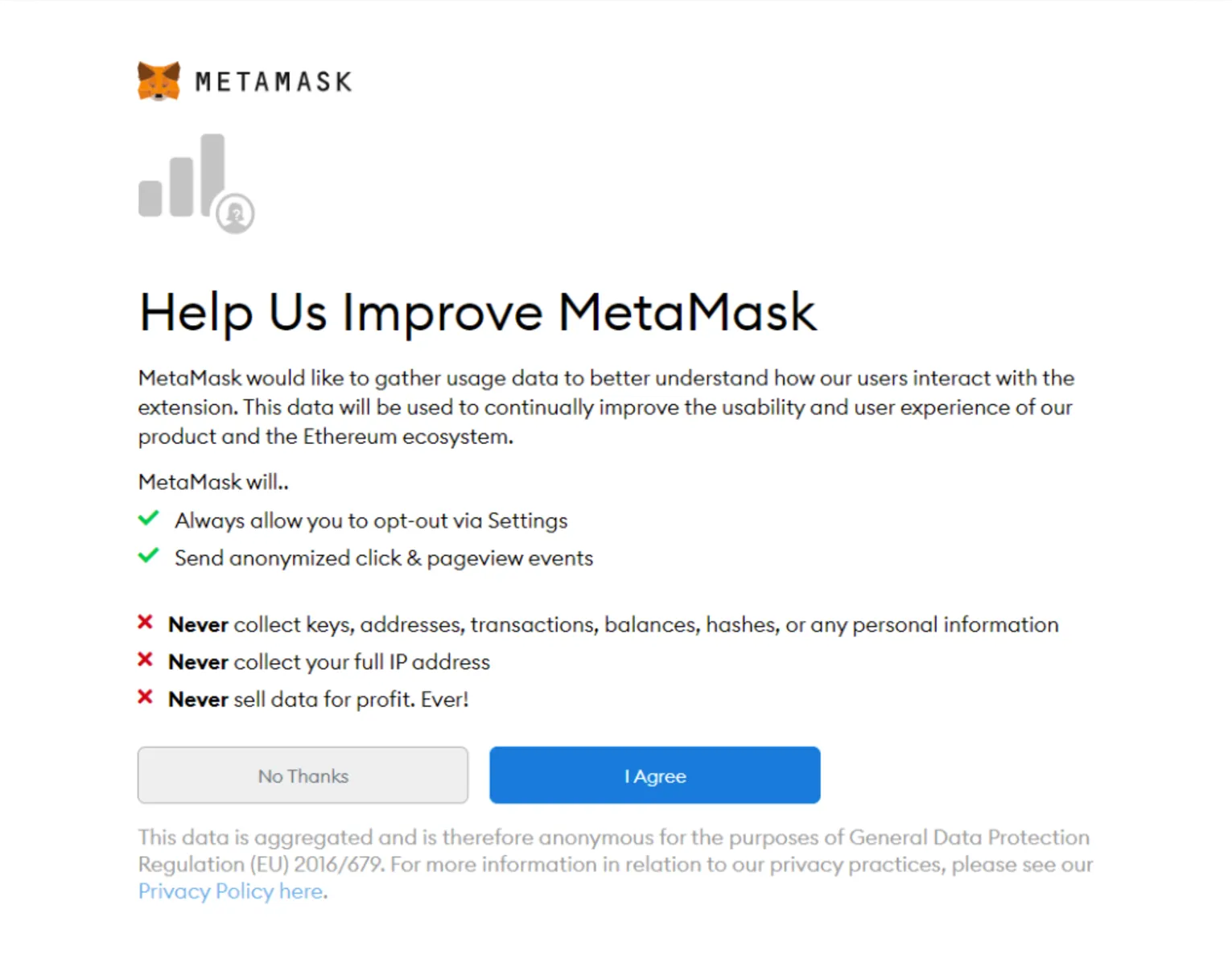
You must make a selection on this screen, but your wallet can still be created if you click the button. "No, thank you“click.
03

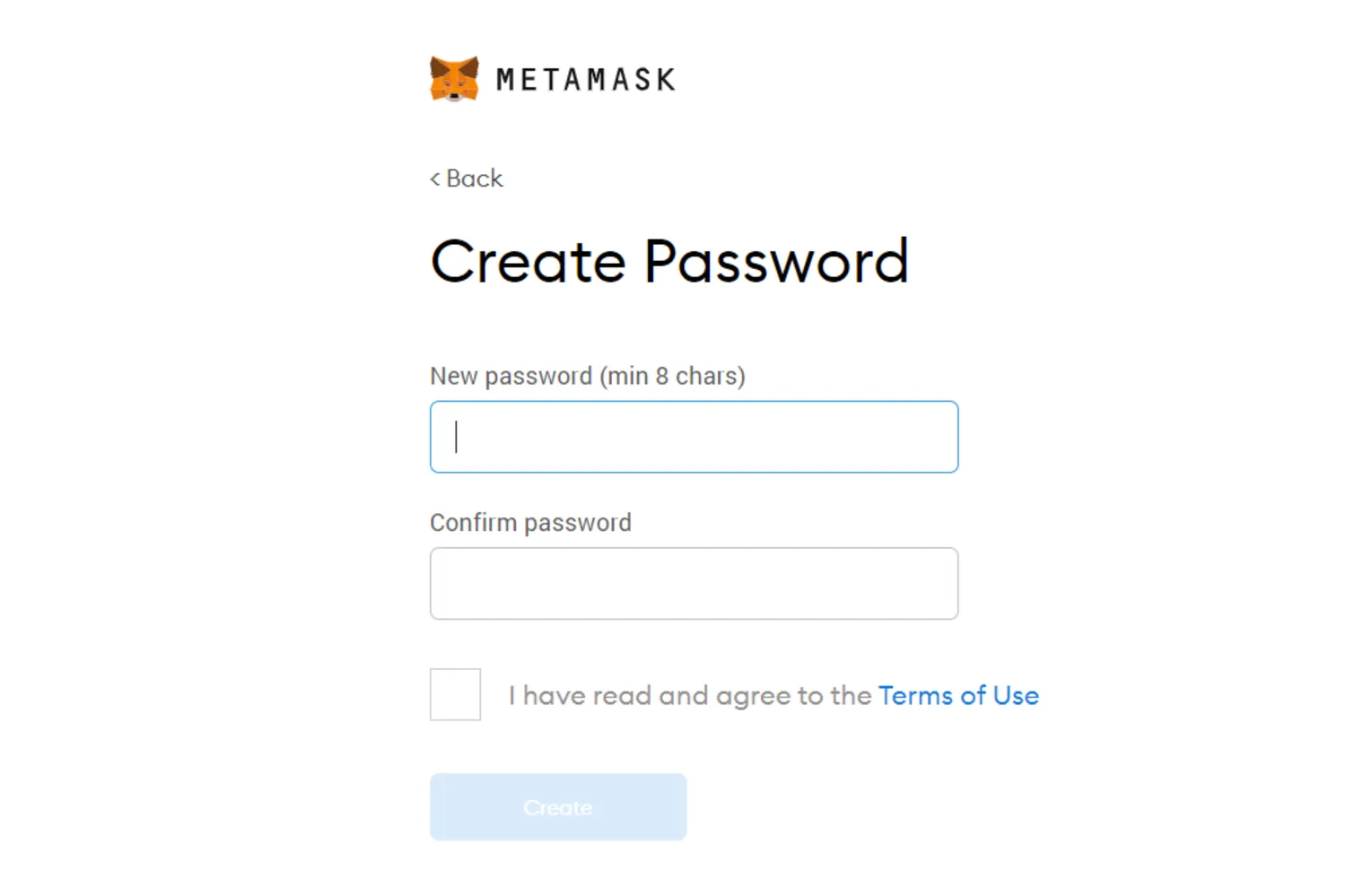
Enter your password, agree to the terms of useand then click on the button "Create“.
04

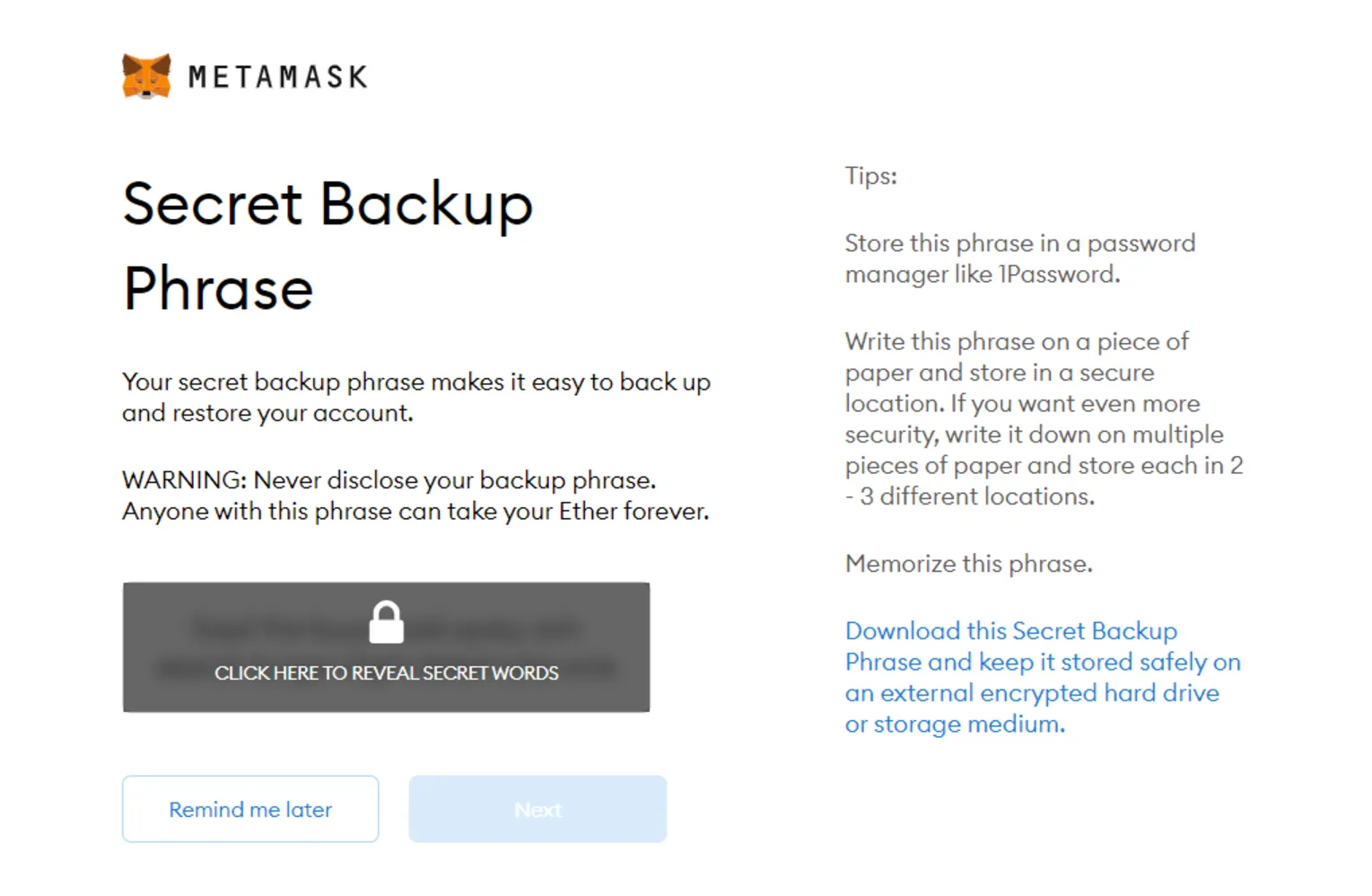
This is the most important step! The secret phrase is the only way to access your wallet if you forget your password.
To your secret backup phraseTo create one, click on the dark area labeled "Click here to reveal the secret words".
Keep your secret phrase safe.Do not save them on your computer and read all the information on this screen carefully before continuing.
03

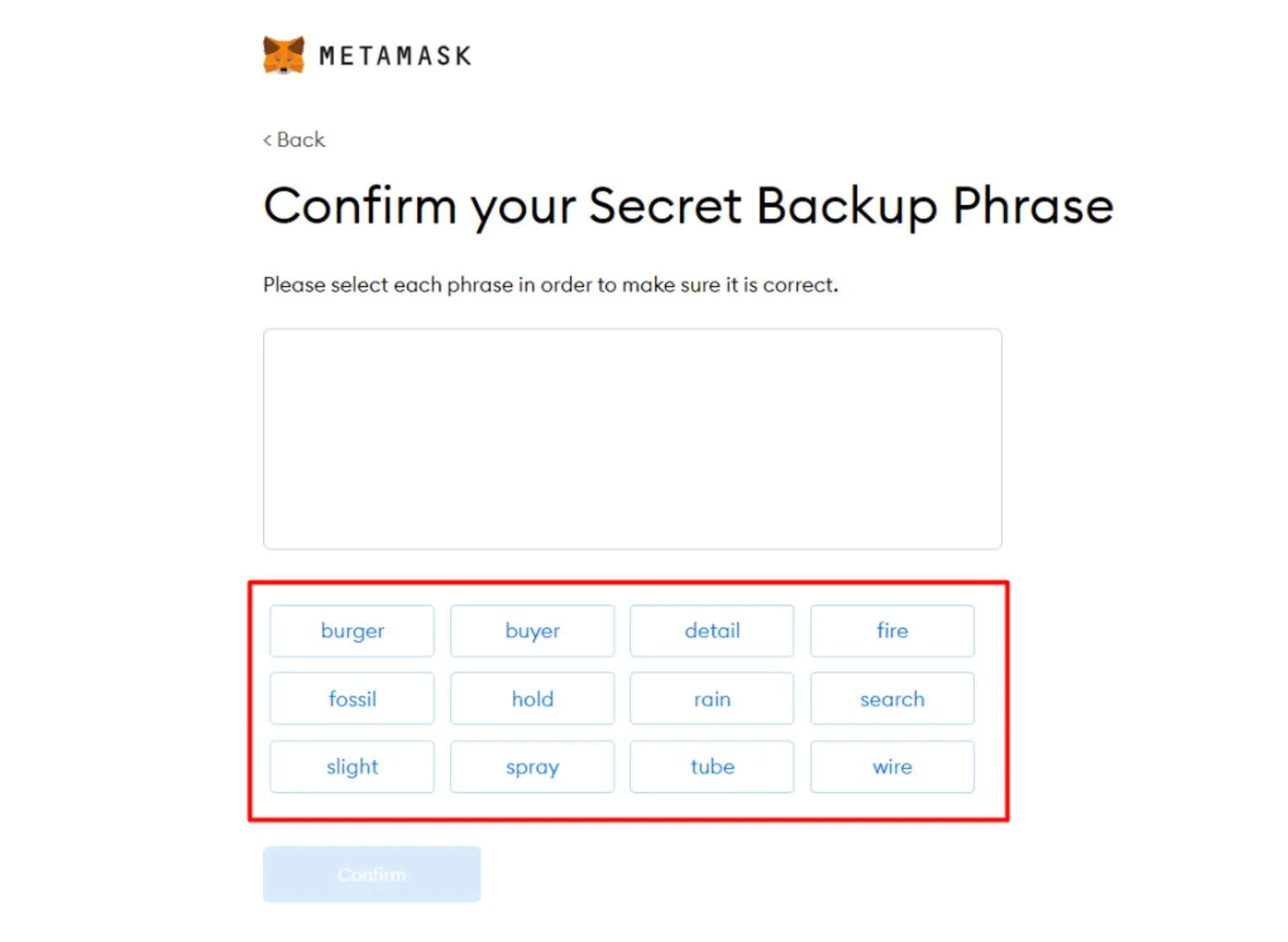
To confirm your secret phrase, you must drag and drop the words into the order in which you received them. If entered correctly, the "Confirm" button will turn blue.
04

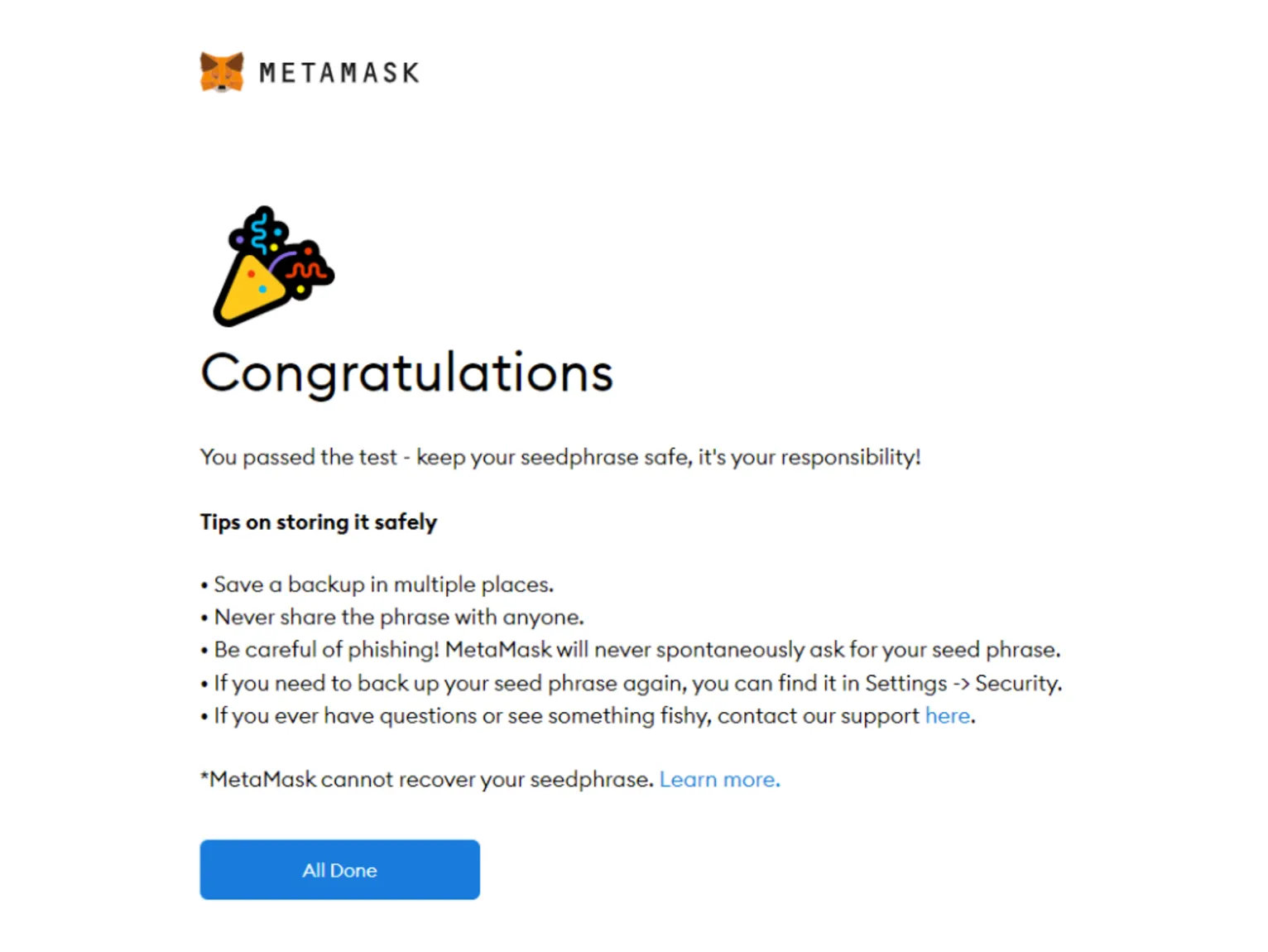
Click on the button"Confirm“, and you will see the congratulatory message.
03

You can buy HYM Coins now, or build a new NFT collection, for example!
You can view the account balance and address by clicking on the "Account 1" section.
You can open MetaMask in your browser by clicking on the foxface icon in the top right corner. If the foxface icon is not visible, click on the puzzle piece icon right next to it. You will find the foxface icon in the list of all browser extensions that is then displayed.
ONE STEP REMAINS
Prepare your wallet for the secure purchase of HYM Coins
SUCCESSFUL ORDER - NEW FUTURE
Our goal is to reward your trust in HYM by making you a Green Ambassador.

Over the past three years, we have helped numerous buyers refinance part of their expenses by spreading the word about our project. ²
Apply now to become a Green Ambassador with us.
FAQs
Frequently Asked Questions
The seed phrase (recovery phrase) is the "master key" to your wallet – anyone who knows it can fully control your coins, even without your device. Write down the seed phrase in full and in the correct order on paper or on a special metal backup, never in a note-taking app, cloud, email, chat, or as a photo.
Create multiple physical copies and store them in different secure locations (e.g., separate safe, bank deposit box) to better protect yourself against fire, water damage, or theft.
Never share your seed phrase with anyone—not even with supposed support, "competitions," friends, or family members, unless you are deliberately arranging an inheritance and documenting it securely.
Never enter them on websites, except when restoring a wallet in an official app that you have installed yourself; pop-ups, links in emails, or social media messages are almost always attempts at fraud.
After writing it down, take a moment to check that all the words are correct and legible, and keep the note as if it contained your entire wallet—because that's exactly what it is.
Disclaimer
DISCLAIMER
Important risk information – please read carefully
Purchase of HYM tokens ¹
The purchase of HYM tokens involves significant risks.
No investment advice! - You decide!
This information does not replace personal investment, legal, or tax advice. You are solely responsible for decisions regarding the purchase of HYM tokens. Carefully consider whether HYM is suitable for your risk tolerance and financial situation. Seek independent professional advice if necessary.
Green Ambassador ²
A participant in the Green Ambassador Program:
This does not constitute investment advice or a recommendation. Each buyer should consider whether they can bear a total loss and seek independent legal or tax advice if necessary.
Your acknowledgment of the risk
If, after considering all the information, you decide to purchase HYM tokens, by completing the purchase process with payment, you confirm that you understand the risks and are acting on your own responsibility, and that you have read and understood the information on this page, in particular the risk warnings. You are aware that you could lose the entire amount invested.
ARE YOU READY TO START?
You are part of the ecological-economic revolution! Take control of the development of your living space!
Support
Wallet 101
Metamask Setup
Token Import
Coin Import [soon]
Book D4Y [soon]
H₂ Procurement
as a company
as a municipality
as an association
as a private individual
own production

GreenHydroMotion GmbH
Weidweg 4 • 76829 Landau/Pfalz
+49 178 66 77 557 • +49 162 13 77 850
[email protected]
© All rights reserved by GreenHydroMotion GmbH